New for teachers
This page lists new features and improvements for teachers.
Activity chooser enhancements
Purpose categories
Activities in the Activity chooser are grouped by purpose: assessment, collaboration, communication, resources, and interactive content.

Activity information
Activity information includes purpose categories and whether the activity is gradable.

Activity selection
When selecting an activity, an Add button improves clarity and control. To go straight to the Add activity page, double-click the activity.

Activities overview improvements
The Activities overview shows dates and other information for for all core activities, including Choice, Forum, Glossary, H5P, Lesson, SCORM and Quiz.

AI access controls at course and activity level
You can turn AI tools on or off in courses and in activities.

Assignment improvements
Grader panel resizing
Assignment grader panels can be resized by dragging the dividing border, allowing more space for advanced grading methods.

Logging of downloaded feedback files
Feedback file downloading is logged, so teachers can check how many students downloaded the files.

Short URLs in assignment SMS notifications
Assignment due and overdue notifications sent via SMS have short URLs.

Additional activities in a Single activity course
You can include additional activities in a Single activity course using the Additional activities block.

Activity completion report groups filter
You can show only students in a selected group in the Activity completion report, even for courses with group mode set to no groups.

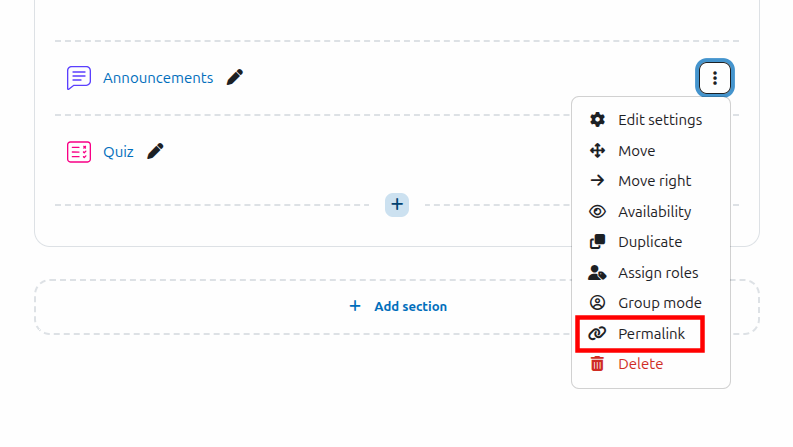
As for course sections, activity menus include a Permalink - a permanent link to the activity.
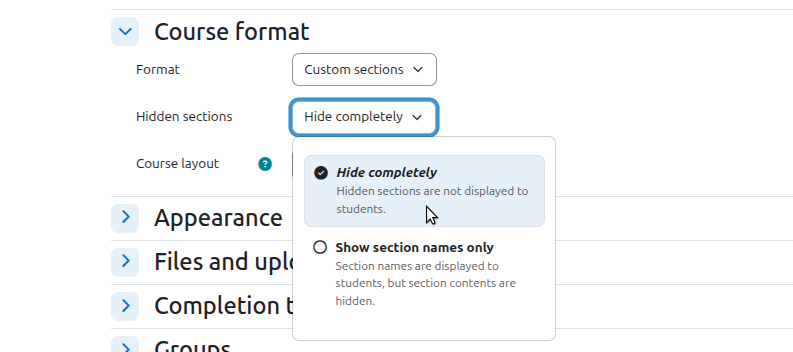
Clearer 'Hidden sections' course setting
The course setting 'Hidden sections' shows descriptions with each option.