New features
Read on for an overview of the key features and improvements in Moodle 5.1.
For role-specific improvements, see New for teachers and New for administrators.
Activity chooser enhancements
Purpose categories
Activities in the Activity chooser are grouped by purpose: assessment, collaboration, communication, resources, and interactive content.

Activity information
Activity information includes purpose categories and whether the activity is gradable.

Activity selection
When selecting an activity, an Add button improves clarity and control. To go straight to the Add activity page, double-click the activity.

Activities overview improvements
The Activities overview shows dates and other information for all core activities, including Choice, Forum, Glossary, H5P, Lesson, SCORM and Quiz.

More options and control over AI
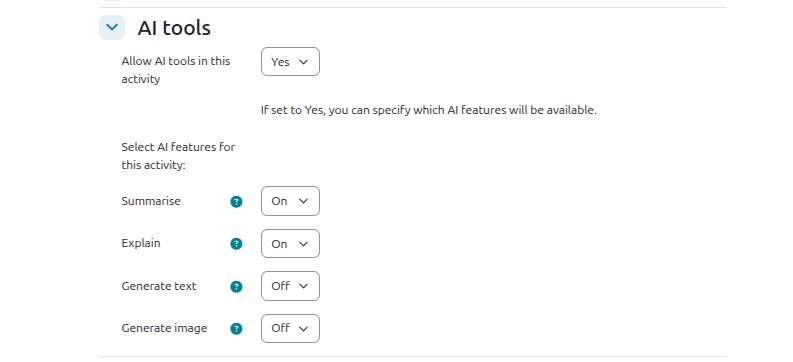
AI access controls at course and activity level
Teachers can turn AI tools on or off in their course and in activities.
DeepSeek provider
AI provider options are increased with the addition of DeepSeek.
Improved AI tool error messages
AI tool error messages provide information on how to resolve the problem.

TinyMCE improvements
TinyMCE Premium on-premise support
On-premise support for TinyMCE Premium provides server-side data processing for features such as Enhanced Image Editing without sending user content to Tiny Cloud servers.
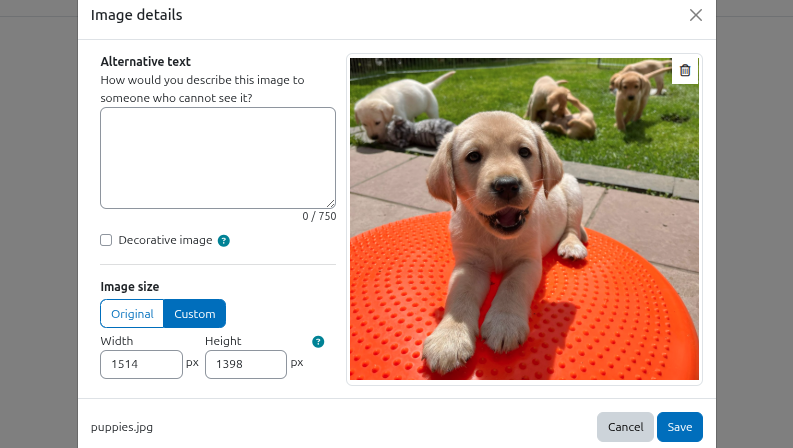
Insert image/media styling uplift
The screen for inserting an image or multimedia in the TinyMCE editor has styling improvements.
Assignment improvements
Grader panel resizing
Assignment grader panels can be resized by dragging the dividing border, allowing more space for advanced grading methods.

Logging of downloaded feedback files
Feedback file downloading is logged, so teachers can check how many students downloaded the files.

Forgotten password page reCAPTCHA
Improve security and protect against automated attacks by adding a reCAPTCHA to the forgotten password page.

More manual enrolment options
When manually enrolling users you have two new options:
- Add to group
- Choose a starting from date

