Quiz responses report
From MoodleDocs
The quiz responses report may be viewed by clicking on the quiz and then accessing Administration > Quiz administration> Results > Responses
The quiz responses report allows the teacher to see a table of answers for a quiz, with a row for each student. For example, it is possible to scroll down and see each students answer to the same question. Here are some examples:
-
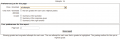 Preferences
 -
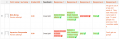 Basic report, no preferences checked
 -
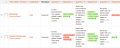 Report example with 2 preferences checked


