Dataform module: Difference between revisions
From MoodleDocs
Module administration
Creating an activity
- Overview
- Activity administration
- Building an activity
- CSS tips and tricks
- JS tips and tricks
- Activating RSS
- Activity workflow
- Grading
Working with the activity
See also
No edit summary |
No edit summary |
||
| Line 1: | Line 1: | ||
{{Dataform}} | {{Dataform}} | ||
{{Infobox plugin | {{Infobox plugin | ||
| Line 9: | Line 8: | ||
|maintainer = [[User:Itamar Tzadok|Itamar Tzadok]] | |maintainer = [[User:Itamar Tzadok|Itamar Tzadok]] | ||
}} | }} | ||
<div style="font-size:110%;"> | |||
The Dataform module is a major enhancement of the Database activity module. | The Dataform module is a major enhancement of the Database activity module. | ||
The module allows for constructing an entry form from various field types in a flexible layout. Users can then add information records to a collection, which can be viewed in various ways and searched for particular items. | The module allows for constructing an entry form from various field types in a flexible layout. Users can then add information records to a collection, which can be viewed in various ways and searched for particular items.</div> | ||
<gallery widths=300px heights=300px> | |||
Image:df-view-grid.png|Photo album application in a grid view | |||
Image:df-app-peer-view-rating.png|Peer-view with star rating and comments | |||
Image:df-app-photo-gallery-with-slider-and-comments.png|Photo gallery with slider and comments | |||
</gallery> | |||
| Peer-view with star rating and comments | |||
| Photo gallery with slider and comments | |||
==Acknowledgements== | ==Acknowledgements== | ||
Revision as of 22:48, 29 January 2014
| Dataform module | |
|---|---|
| Type | Activity |
| Set | N/A |
| Downloads | http://moodle.org/plugins/view.php?plugin=mod_dataform |
| Issues | http://tracker.moodle.org/browse/CONTRIB/component/12338 |
| Discussion | http://moodle.org/mod/forum/view.php?id=3505 |
| Maintainer(s) | Itamar Tzadok |
The Dataform module is a major enhancement of the Database activity module.
The module allows for constructing an entry form from various field types in a flexible layout. Users can then add information records to a collection, which can be viewed in various ways and searched for particular items.
-
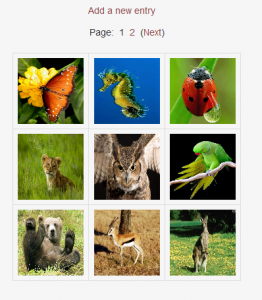 Photo album application in a grid view
 -
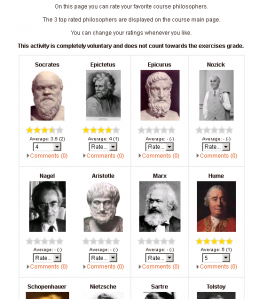 Peer-view with star rating and comments
 -
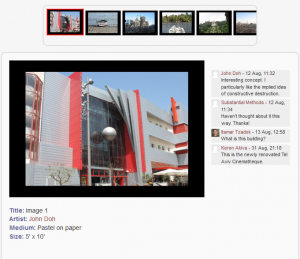 Photo gallery with slider and comments


